
BasicBMS December 5, 2024 Release Notes
We’ve shipped improvements across mobile experience, print quality, and interface consistency. Here’s what’s new:
What We Fixed
- Customer > Sales Order fix Mobile View
- Customer > Invoices fix ibox-title layout Desktop View
- Customer > Sales Orders fix ibox-title layout Desktop View
- Customer > Quotes fix ibox-title layout Desktop View
- Supplier > Management fix ibox-title layout
- Accounting > Ledger fix ibox-title layout
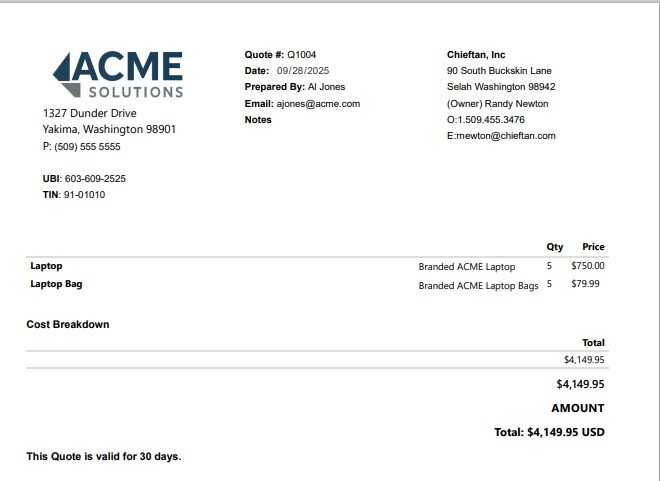
- Customer > Invoice fix Print View
- Supplier > Purchase orders fix ibox-title layout
- Configuration > Global Dropdowns fix ibox-title layout
- Customer > Quotes fix Print View
- Redo quote/header to use ibox-title and ibox-content
- Quote Seed and Layout Migration
- Purchase order session not defined
- Property component is not full width
- Customer\List mobile search
- Fix Mobile spacing for stacked toolbar sections
- Make table to card optional with override css
- Quote Items – Table not displaying correctly on Print.
- Fix Checkbox Alignment in Properties Module
- Customer > Invoice fix Mobile View
- Customer > Sales Order fix Print View
- Fix Paging and Page Count alignment
- Customer > Quotes fix Mobile View
What This Means For You
Better mobile experience means you can actually use BasicBMS from your phone. Cleaner print views mean your quotes and invoices look professional. Interface consistency means less hunting for buttons.
We built BasicBMS to break the QuickBooks → Sage → Enterprise migration cycle. Every release makes it easier to run your business without expensive upgrades or forced migrations.
Questions? Call us at (509) 949-2162 or email basicbms@bondbyte.com