Managing Supplier Payables in BasicBMS: Three Ways to Get It Done
Running a business means bills. Supplier invoices, vendor charges, subcontractor costs — they come in constantly and in every form imaginable. Some arrive as paper invoices you enter by hand. Others show up in your bank feed as transactions you need to reconcile. Most businesses end up managing these two streams in completely separate places. BasicBMS connects them. Here’s how supplier payables work — and three ways to create them.
What Is a Supplier Payable?
A supplier payable is a record of what you owe a vendor or supplier. It tracks the invoice number, due date, amount, any discounts, and payment status. In BasicBMS, payables live under Supplier > Payables and give you a running view of outstanding obligations — who you owe, how much, and when it’s due.

Method 1: Manual Quick Entry
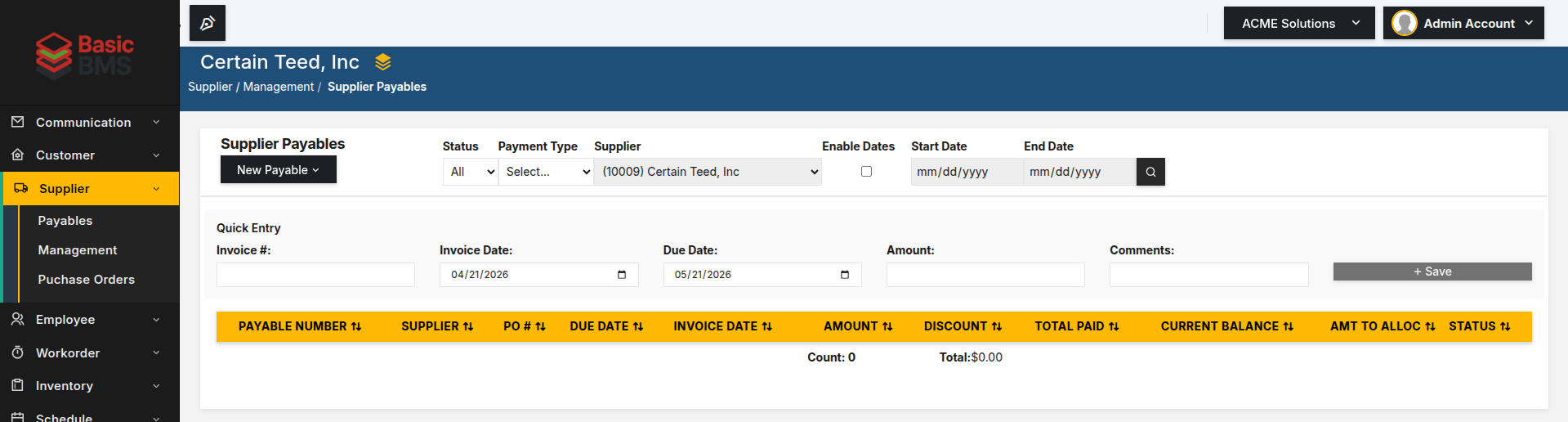
Sometimes you have an invoice in hand and you just need to record it. The Quick Entry form at the top of the Supplier Payables screen is built for exactly that. Enter the invoice number, invoice date, due date, and amount. Add a comment if needed. Hit Save. The payable is created and added to your list immediately. This is the fastest path when you’re working from paper invoices or when a supplier sends you a bill directly. No bank transaction required — you’re building the record from the source document.
Method 2: Reconciliation — Single Mode
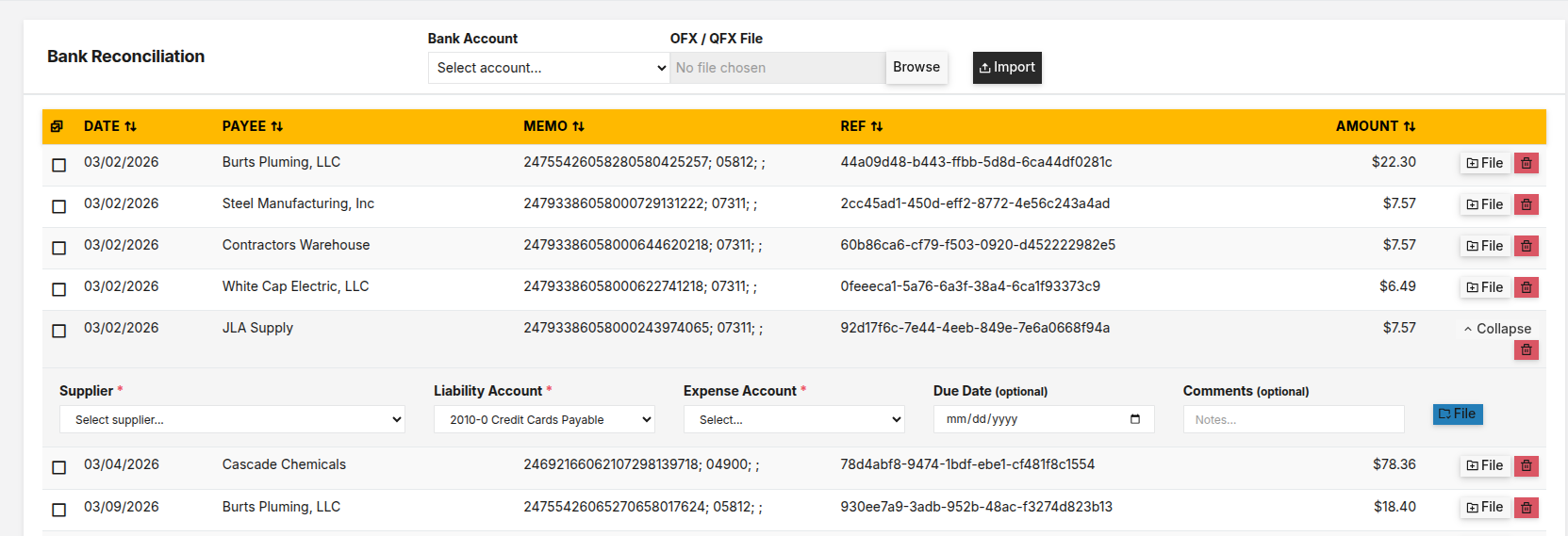
Bank reconciliation in BasicBMS lets you import your bank statement (OFX or QFX file) and match transactions to suppliers. In single mode, you work through transactions one at a time. Find the transaction, expand it, select the supplier, assign the liability account and expense account, set a due date if needed, and file it. BasicBMS creates the payable record from that bank transaction — the date, payee, and amount are pulled directly from the import. This works well when you have a mixed batch of transactions and you want to review each one carefully before committing it.
Method 3: Reconciliation — Batch Mode
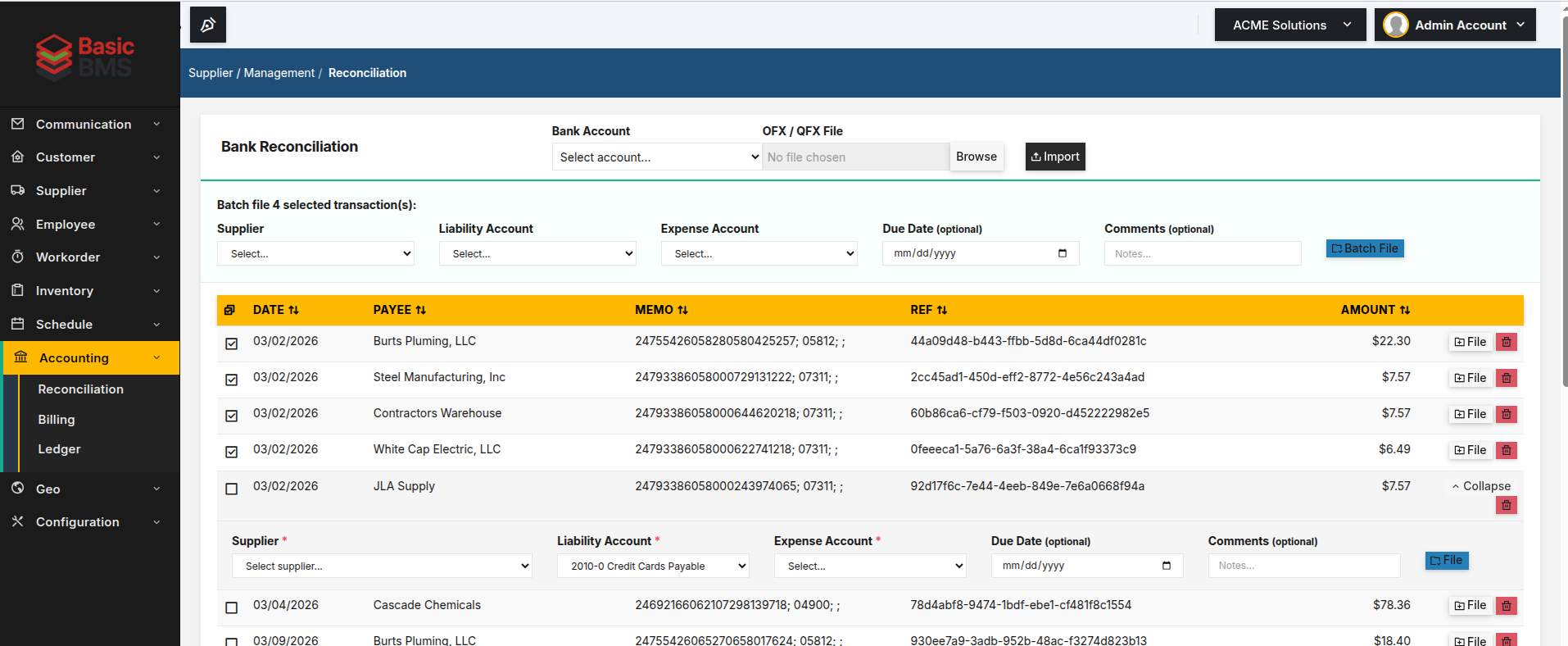
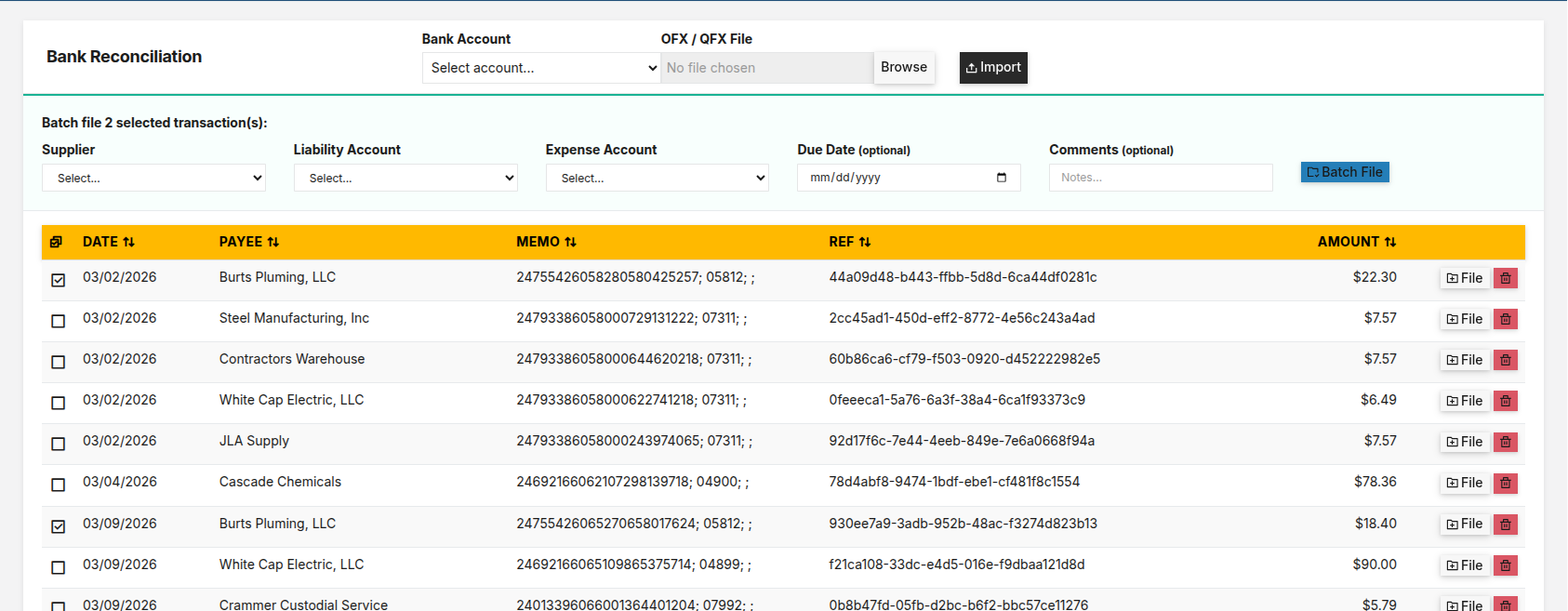
When you have a stack of transactions from the same supplier — or a set you’ve already reviewed and are ready to process — batch mode lets you handle them in bulk. Select the transactions you want to group, assign the supplier, liability account, and expense account at the top of the batch panel, then click Batch File. All selected transactions are filed as payables in a single action. This is the fastest path when you’re processing a week’s worth of vendor charges or clearing out a backlog of recurring supplier transactions.
One Platform, Three Paths
Different businesses work differently. Some run primarily on paper invoices. Others import bank statements weekly. Many use a combination of all three methods depending on the supplier and the situation. BasicBMS doesn’t force a single workflow. Whether you’re entering by hand, reconciling one transaction at a time, or processing a batch of bank charges, the payable lands in the same place — your Supplier Payables list — ready for payment tracking and reporting. At $25/module, the Supplier module gives you payables management, purchase orders, and supplier records without a per-user pricing model that punishes growth. Five users are included in the base setup fee. If you’re tired of tracking what you owe in a spreadsheet — or across three different systems — BasicBMS is worth a look.

Business software as unique as your business.
 Water Utility→
 Property Management→
 General Business→
 Construction soon
Don’t see yours? Build a vertical →