What shipped
Receipts stop living in glove boxes
The receipt is in a truck. The person who knows what it was for is on a job. The bookkeeper finds out at month-end, from a card statement line that says “HARDWARE #4417 $42.17”.
Then come the texts, the guessing, and an expense booked to “miscellaneous” because nobody remembers.
What changed
Anyone on staff taps their name, then Submit Receipt. They take a photo, type “pipe for the Elm Street leak”, tag the customer and the service point, and they are done.
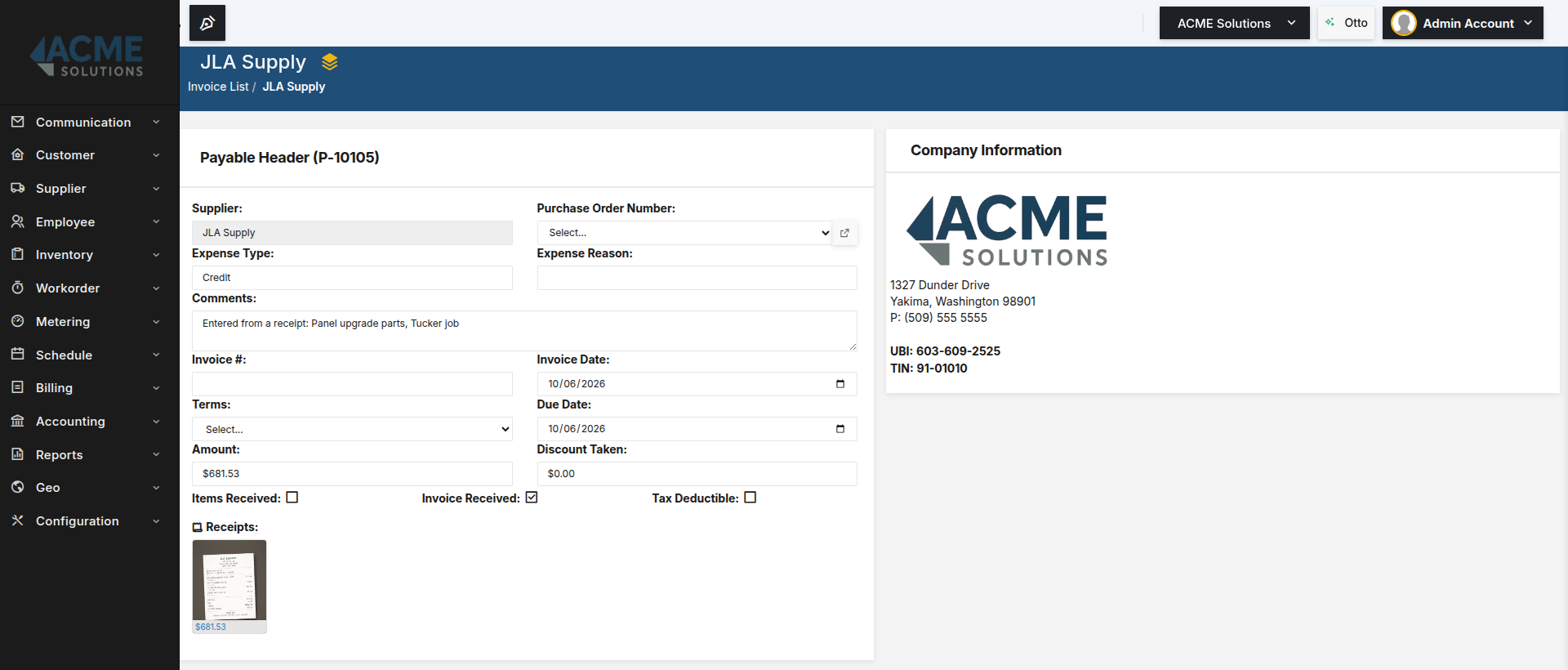
The bookkeeper gets an inbox of receipts that already say what they were for. They fill in the vendor, amount and account, and either attach the receipt to the bill they already have or create the bill straight from it. The bill carries the receipt as its proof.
The crew supplies the why
A photo, a line on what it was for, and tags: the customer, the work order, the service point.
The bookkeeper supplies the money
Vendor, date, amount, account. Then Link it to a bill, or Create bill from this receipt.
Here’s how to actually do it: How to submit a receipt from your phone for the crew, and How to file receipts against bills for the bookkeeper.
Why this is the part that matters
The context is captured by the person who has it, at the moment they have it.
Most expense tools ask the bookkeeper to reconstruct why money was spent. That is the expensive, error-prone part. Here the field tech supplies the why: the customer, the work order, the service point. The bookkeeper supplies the money: vendor, amount, account. Neither does the other’s job.
The receipt is attached to the bill, not filed beside it.
A shoebox, a shared folder or a photo in a text thread is evidence somewhere near the books. Here the bill shows its receipt, so “where’s the receipt for this?” at audit time has a one-click answer.
Built for the phone your crew actually carries
The first version handed the photo off to the phone’s camera app. On cheap Android phones, the browser waiting in the background sometimes got closed while the camera was open, and the photo was lost.
So we built a camera into the page. Then we gave it zoom, tap-to-focus and a flashlight. A day later we took it back out: the phone’s own camera app focuses, zooms and switches lenses better than anything a web page can do.
What fixed the lost photos instead: on Android, BasicBMS installs to the home screen from the browser, with nothing from an app store. Take the picture in the camera app, tap Share, choose BasicBMS, and Submit Receipt opens with the photo already attached. No browser left waiting in the background to lose it.
The rest is the same idea. Photos are shrunk on the phone before they upload, so a receipt goes through on one bar of signal in a parking lot. Several photos are processed one at a time, so a low-memory phone doesn’t choke on a long receipt. And closing the browser doesn’t sign anyone out.
The honest part
The bookkeeper still owns the numbers. Vendor, amount and account are checked against the image, and nothing is kept until they click Save.
There is no address to email receipts to and no number to text them to. Sharing a photo to BasicBMS opens the screen on the same phone; the person still tags it and taps Submit.
Not yet: a receipt isn’t suggested against a bank statement line; the bill it creates reconciles the normal way. Paid personally marks a receipt for reimbursement, but nothing pays the employee back on its own. No expense reports, mileage or per-diem, and projects can’t be tagged yet.
Still modular
Start with what you run. Six core modules — Customers, Employees, Suppliers, Payables, Invoices, and a full general ledger — for $150 a month. Add Work Orders, Communication, or Projects for $25 each. Every user included, no per-seat games, no forced bundles.
Implementation is a one-time build: we configure your modules around your workflow and load your data, so you don’t start on a blank screen.

Business software as unique as your business.
 Water Utility→
 Property Management→
 General Business→
 Construction soon
Don’t see yours? Build a vertical →
