What shipped
The quarter’s bills, in one PDF
A small water association. Fifty-odd members, flat rate, billed once a quarter.
Recurring billing already made the invoices and posted them to the ledger without anyone touching them. Then a person spent an afternoon opening each one and pressing print — because most of the members do not have an email address on file and are not going to.
The software had automated the accounting and left the paper to a human.
What changed
On the Billing dashboard there is now a Print tab. Pick the run, click Preview, and you see every invoice in it, numbered in mailing order by the billing name. Untick anyone you are holding back. Click Print, and a few minutes later download one PDF of the lot, each invoice starting on a fresh page. Print it, fold it, stuff it.

Before
Open an invoice. Print. Close it. Open the next one. Fifty-odd times, every quarter, and hope nobody got skipped.
Now
Preview the run, untick anyone you are holding back, print. One PDF, in mailing order, ready to fold.
Here’s how to actually do it: How to print a billing run for mailing.
Why this is the part that matters
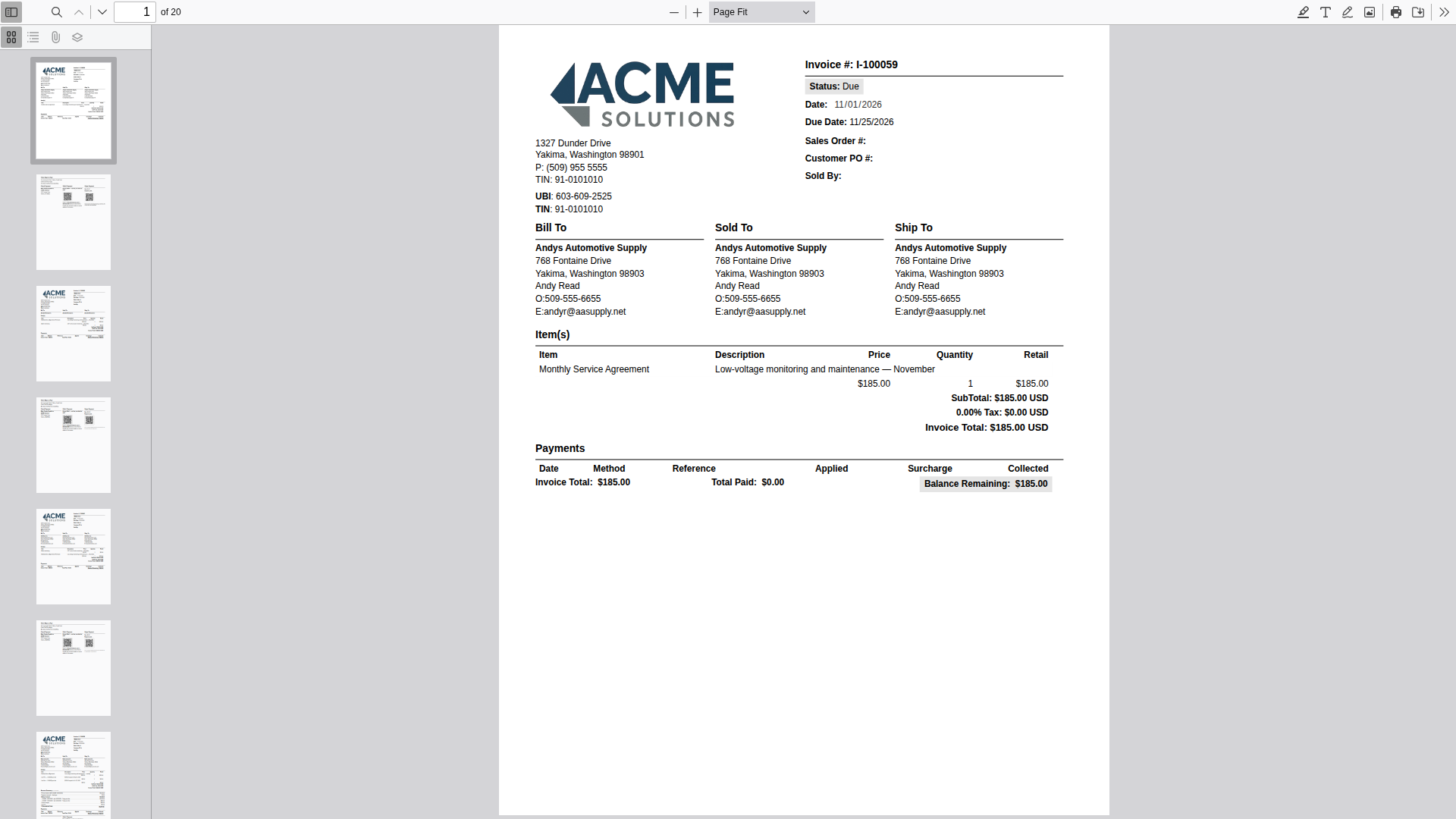
The printed invoice is the same page the operator sees on screen — rendered through the same browser engine as the single invoice, one at a time, then stitched together. It is not a second “print layout” maintained in parallel.
Most systems have one, and it drifts. A field added on screen never makes it to the paper version, or the paper version carries a logo two releases old. Here there is nothing to drift. When this customer’s layout was adjusted so the address sits in the envelope window, the print run picked it up, because there was nothing else it could print.
There is no print version. There is the invoice.
Second point: the run is a record, not a side effect. Each batch is kept — who printed it, when, which invoices, how many pages — and each invoice carries its Printed on date. “Did this go out?” has an answer. A reprint is a deliberate act with a warning, not an accident.
Paper or email
Each customer has an Invoice delivery setting: Paper, Email or Both. A customer nobody has touched counts as Paper, so the first print run includes everyone with no setup. Customers set to Email are left out of the print and named in the preview, so nobody disappears silently. Customers set to Paper are not emailed by recurring billing, even when it charges a card on file.
Staff set it on the customer record.
The honest part
It does not mail anything. The output is a PDF you print and fold; nothing is posted, franked or sent to a print house, and the system knows an invoice was printed, not that it was mailed.
It does not move the address. The invoice layout does that, and it was set up for this customer’s envelopes beforehand. The print run prints what is on screen.
Invoices only, one batch at a time. Not statements, quotes or work orders — and a second Print while one is running is refused with a message, on purpose.
Still modular
Start with what you run. Six core modules — Customers, Employees, Suppliers, Payables, Invoices, and a full general ledger — for $150 a month. Add Work Orders, Communication, or Projects for $25 each. Every user included, no per-seat games, no forced bundles.
Implementation is a one-time build: we configure your modules around your workflow and load your data, so you don’t start on a blank screen.

Business software as unique as your business.
 Water Utility→
 Property Management→
 General Business→
 Construction soon
Don’t see yours? Build a vertical →
